Have you pulled out the memory card without switching your digital camera off and thus lost all your valuable images! Stop worrying..as you are at the right place. Go through the article and recover lost photos from your memory card NOW! But...for future always keep it in mind "Never pull out the memory card without switching your digital camera off.."
The memory card is an electronic data storage device used in digital cameras, mobile phones, or other electronic devices to store digital information. They are small, non-volatile memories therefore, can be used to re-record and retain the digital data even without the power. Some common memory card formats are Secure Digital (SD), Secure Digital High Capacity (SDHC), Compact Flash (CF), Memory Stick, MultiMedia Card, xD-Picture Card, etc. Sometimes virus attack, interruption in their read/write process, or various other reasons may cause corruption in the memory card and leads us to the condition of photo loss.
Some common errors codes that lead you to the memory card corruption and hence to the photo loss are "Card Locked" , "Memory Card Error", "Card Error", etc. Sometimes the condition becomes that worse that your camera or operating system prompts you to format the memory card or refuses to take new picture or view older ones.
All these situations call for a photo recovery software to recover lost photos from memory card. But before that you need to ensure that your memory card is recognized by your computer. Hence Stellar is one of the highly recommended photo recovery software.
After downloading and installing this software in your computer follow these simple steps to recover deleted photos from SD card:
- Open Stellar Photo Recovery.
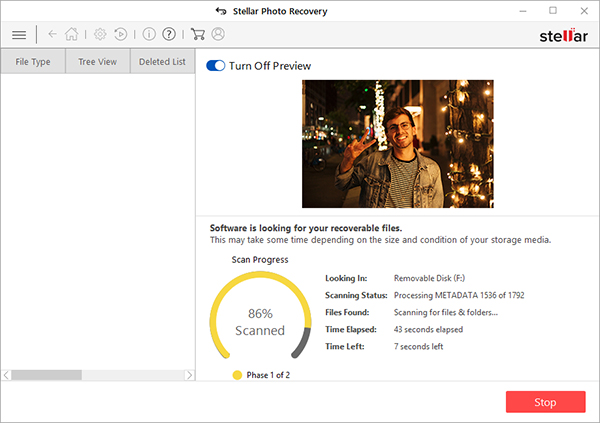
- Select the drive or storage media to scan and recover from. Click Scan.
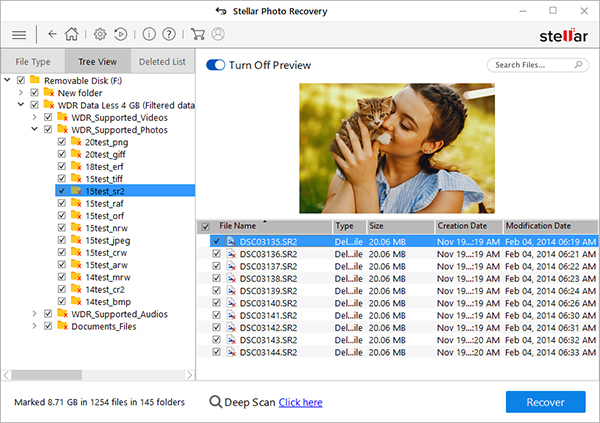
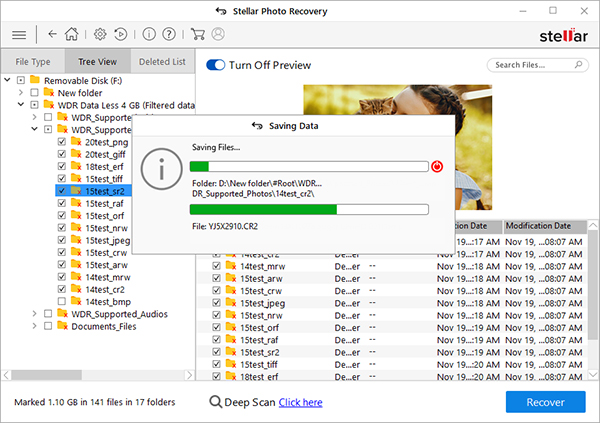
- A dialog box of 'Scanning Completed Successfully!' appears. In the left-pane of main window, all the found files and folders are listed. The bottom-right pane lists the files stored in the selected folder. Select a file and preview in the right pane
- Select the desired files and choose Recover. In the dialog box, specify the location to save the media files. Click Save to save the file in desired location.
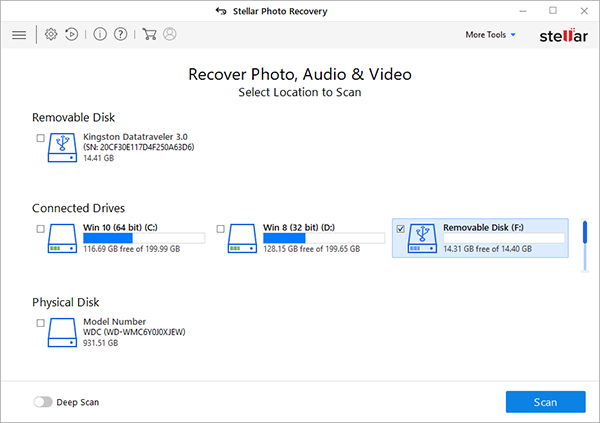
Note: Choose to customize the recovery process through Advanced Settings icon on top. Select a specific file type, add new file type or edit Header to scan for exact results.
Tips to Avoid Memory Card Error and Damage:
- Do not pull out the memory card without switching off the camera.
- Do not pull out the memory card while turning on/off the camera.
- Check the batteries of your camera regularly and if the camera indicates low battery replace or recharge them immediately.
- Stop Using the memory card immediately in the case of damage or corruption. As this can overwrite your old images.
- Maintain a backup of your photos.
- In case of photo loss, Do Not Reformat the device because reformatting will overwrite the existing images and make your data lost forever