Need to recover lost photos from Mac quickly & easily?
Stellar Photo Recovery (Mac) is your best bet at reclaiming lost photos, songs and video files on a Mac system. This competent software allows you to fetch-out media files after they've been deleted accidentally or lost due to unplanned formatting. With powerful algorithms that scan every corner of your storage device, this tool is one of the most helpful utilities to recover photos from Mac OS X.
Although Mac systems are considered to be some of the safest machines (data threats wise), special malware / viruses are being developed to target Macs in particular. As such, designers, photographers and the like need to constantly be on the lookout in order to safeguard their prized pictures and videos from deletion or loss due to accidental deletion, formatting or corruption of storage devices.
Is there a real threat to media files on Mac? How?
While they may not seem obvious, there could be many reasons for photo loss on Mac:
- Accidental deletion or formatting of media card, SD card or removable drive
- Corruption of memory cards or Mac hard drive's file system
- Problems encountered while the camera is in use, such as:
- Camera shutdown while photos are being transferred
- Detaching the camera cable while data transfer is in progress
- Read / Write errors
- Removing memory card while data is being transferred
- Frequently switching cameras or storage devices between Windows & Mac machines
Mac Photo Recovery from Stellar can help!
While Mac systems come equipped with a built-in Disk Utility feature to help fix most errors within the system, some errors are beyond its capacity. Hence, to recover photos from Mac in the toughest of situations, we recommend using Stellar Photo Recovery software Mac. Some of the most remarkable features of the software are listed below:
- Support for photo recovery from APFS, HFS+, FAT32, ExFAT and NTFS based systems
- Capable of scanning hard drives with over 2TB storage
- Best Mac photo recovery software to reclaim lost photos & media from various storage devices such as hard drives, USB sticks, Flash drives, SD cards (Mini SD, Micro SD, and SDHC Card), CF cards, memory devices, digital cameras, Pen Drives etc.
- Option to stop a running scan, save scan information as Disk Image (.dmg) file and resume recovery at a later stage
- Displays deleted files and folders in a tree hierarchy (for FAT, exFAT and NTFS file systems). Additional Classic, File List and Deleted List tree view for volume scan also provided.
- Reinstates lost photos with detailed information such as thumbnails, original date timestamp, camera model / name, resolution and file name, if available.
- Facilitates creating an Image of Mac hard drive that can be used later for recovery
- Allows users to preview recoverable photos, videos and audio files before recovering them
- Compatible with a wide range of digital photo file formats, audio file formats, and video file formats
- Provides support for encrypted drive
- Provides support for Unicode
- Provides option to add file headers if desired file type is not found in list of supported formats
- Can restore lost media from various camera brands
- Interactive user interface and customizable options to make working with the tool very easy
Capable of scanning hard drives with over 60 TB storage
How to use Stellar photo recovery software Mac
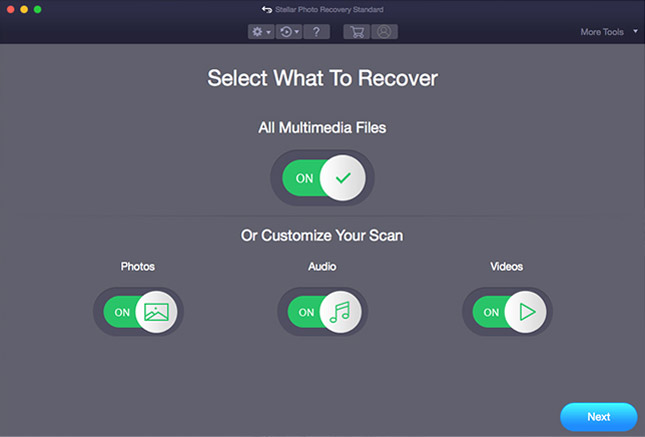
- Open Stellar Photo Recovery. On home screen, select what you want to recover. Click Next.
- Select the drive or storage media to scan and recover from. Click Scan.
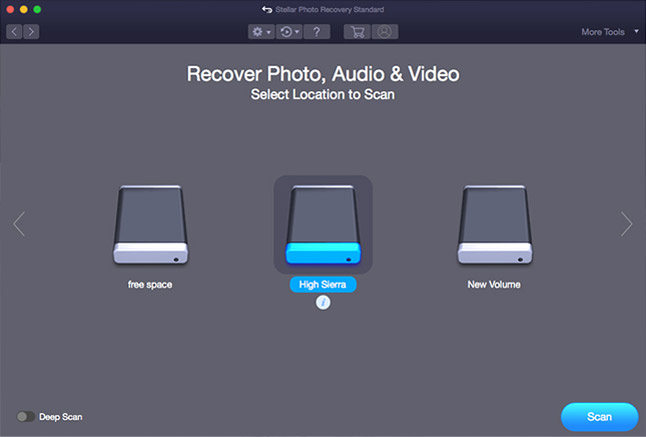
Note: Choose to customize the recovery process through Advanced Settings on top. Select a specific file type, add new file type or edit Header to scan for exact results.
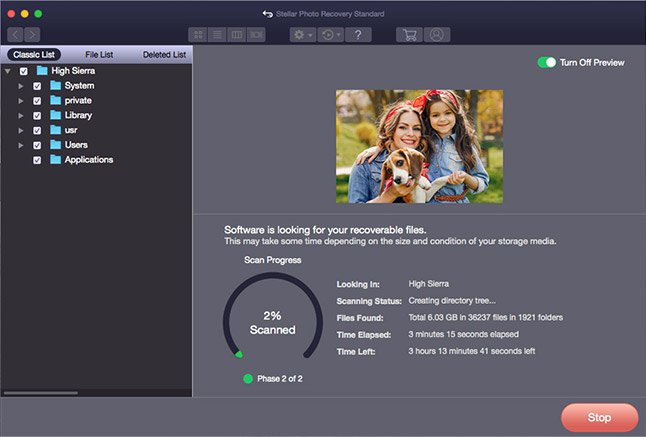
- A dialog box of 'Scanning Completed Successfully!' appears. In the left-pane of main window, all the found files and folders are listed. The bottom-right pane lists the files stored in the selected folder. Select a file and preview in the right pane
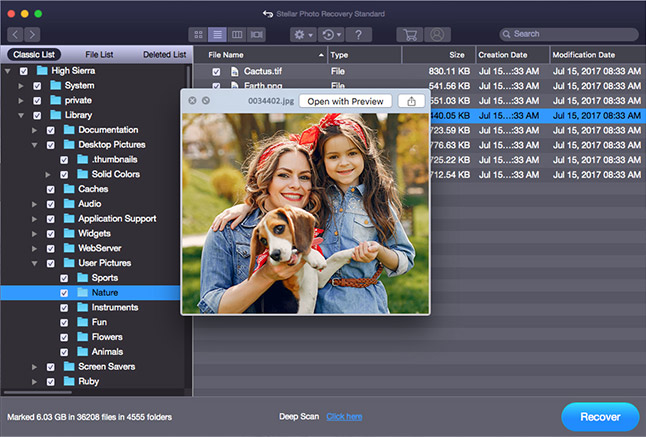
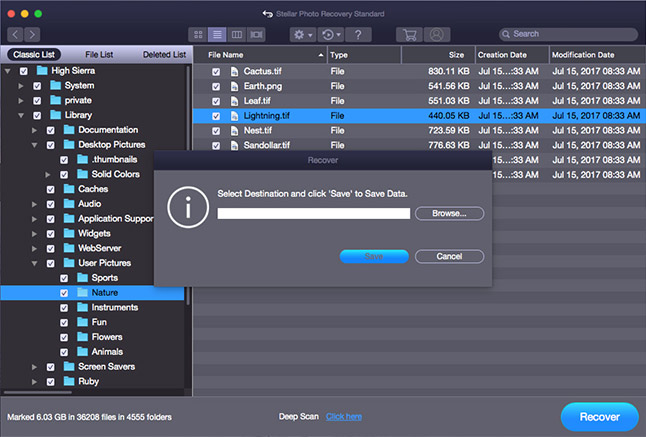
- Select the desired files and choose Recover. In the dialog box, specify the location to save the media files. Click Save to save the file in desired location.